Implementation
Announcement bar
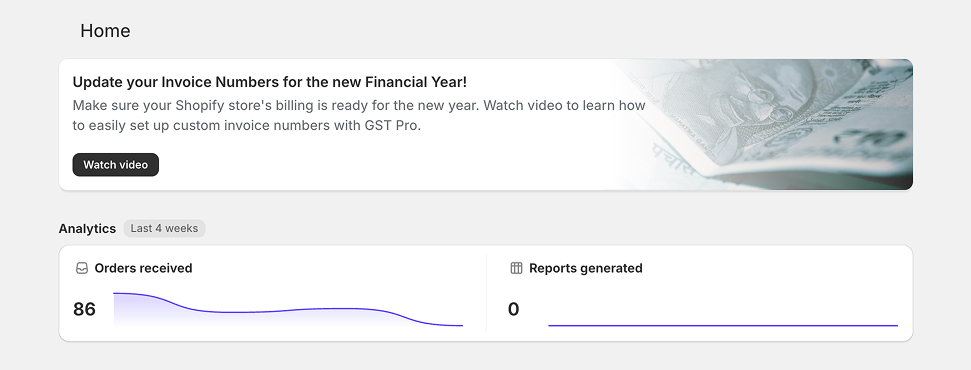
Create an announcement bar in Relay and mount it in the Shopify embed.
This page helps you create a clean announcement bar in Relay and publish it in the Shopify embed with the least amount of setup.
Minimum requirements
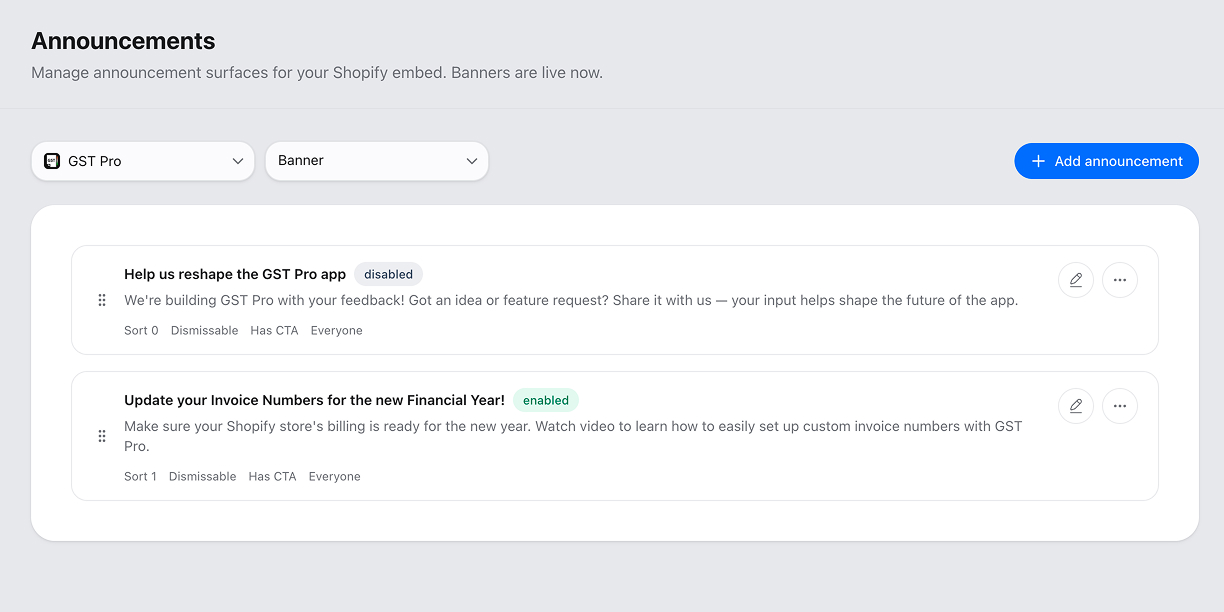
Create the announcement bar
In Relay, do the following:
- Go to Announcements.
- Choose the app you want the announcement bar to belong to.
- Add a title and description if you want visible copy.
- Add CTA buttons only if the announcement bar needs an action.
- Enable the announcement bar from the announcements list when it is ready to go live.
Announcement bars are app-scoped, so each one belongs to a specific app.
Mount only the announcement bar
<script src="https://app.superrelay.ai/embed/embed.js" data-token="YOUR_EMBED_TOKEN"></script>
<div id="relay-announcement-banner"></div>
If you only want the announcement bar surface, you do not need the other Relay embed containers.
Shopify context
The announcement bar uses window.shopify.config.shop to determine shop context.
That matters for:
- shop-scoped visibility
- dismiss state per shop
- targeted display logic
CTA actions
Buttons support:
linkeval
If you use eval, write plain JavaScript that is safe to run inside the Shopify embedded app. Keep it small and intentional.